
BenQ ScreenBar Halo 2 Review: The Light Bar That Actually Saves Your Eyes (+ Free Giveaway)

If you've ever finished a late-night session at your desk with your eyes feeling like they've been sandpapered, the problem usually isn't the screen — it's the contrast between your bright screen and the dim room around it. The BenQ ScreenBar Halo 2 is engineered specifically to solve that. With a tri-zone backlight that's 423% wider than the original Halo, ASYM-Light front lighting, and a wireless digital controller, it's the most refined monitor light bar BenQ has ever shipped.
Win a BenQ ScreenBar Halo 2
We're giving away a brand-new BenQ ScreenBar Halo 2 to one lucky reader. Entry takes under 60 seconds — just follow, share, and confirm your email.
→ Enter the Giveaway Now01What Is the BenQ ScreenBar Halo 2?
The ScreenBar Halo 2 is a premium curved monitor light bar designed for people who work in dim or fully dark rooms. It's the second generation of BenQ's flagship Halo design — and it's a big leap forward. Where most light bars only illuminate your keyboard and desk, the Halo 2 also projects a wide, soft halo of light behind your monitor, balancing the contrast between your screen and the wall behind it.
That sounds like a small thing. It isn't. International lighting studies cited by BenQ show that the screen-to-room contrast ratio is the main driver of eye strain during long sessions. The Halo 2 keeps that ratio below the ANSI-recommended 1:3, which is the entire point.
Key Specs at a Glance
02Design & Build
BenQ co-designed the Halo 2 with MINIMAL, the Chicago studio behind some of the most-awarded industrial designs of the last decade — and you can feel it. The aluminium body has the kind of quiet weight you get from premium camera gear, and the lines are clean enough that it actually disappears into a workspace rather than dominating it.
It's been stress-tested to a frankly absurd degree: 10,000 lamp-head rotations, 10,000 clamp cycles, drops from 50 cm, transport humidity from 0–90%, temperature swings from –20°C to 60°C, and 1,200 cable swing cycles. This is built to last.
03The Tri-Zone Backlight Is the Star
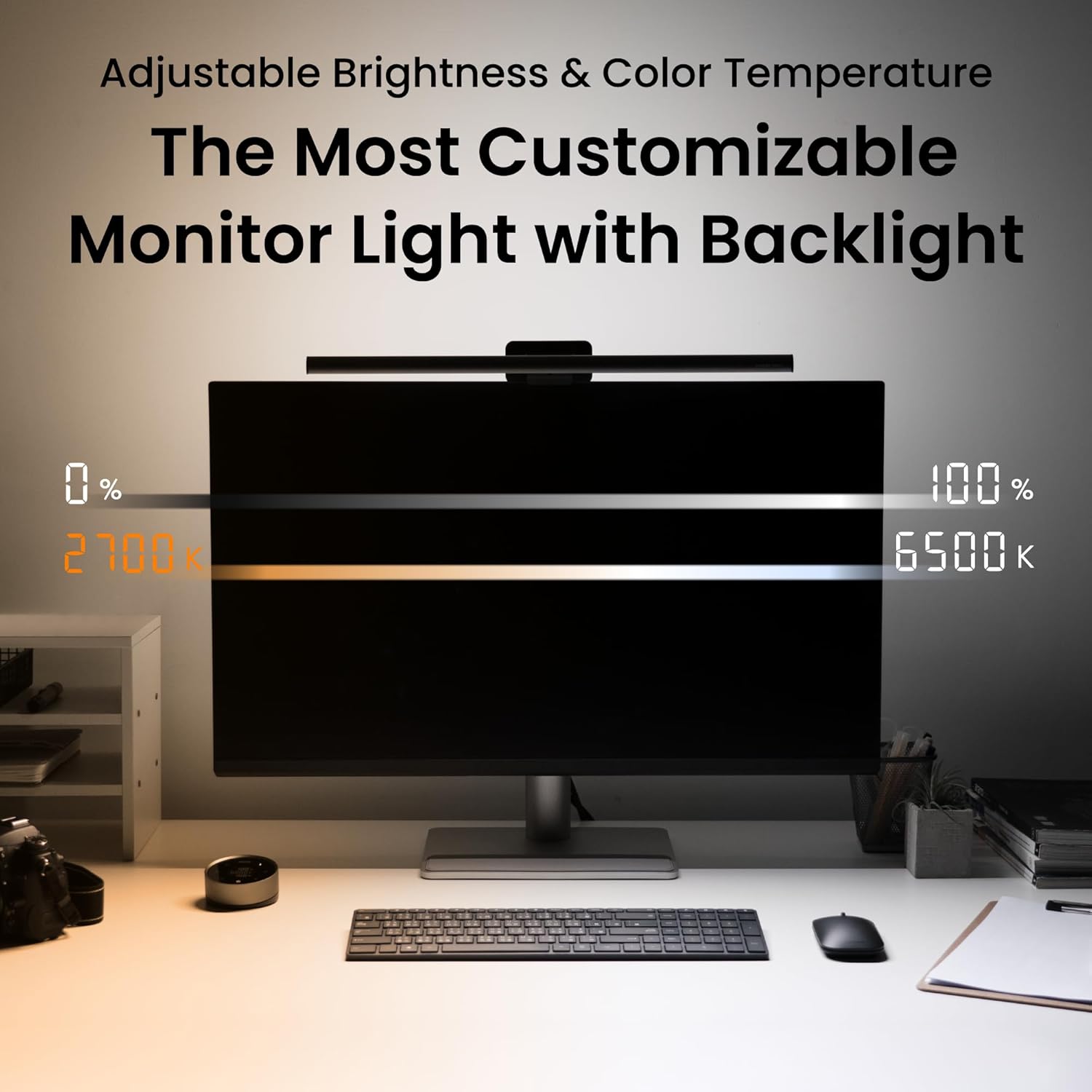
The original ScreenBar Halo introduced backlighting to monitor light bars, and it was great. The Halo 2 takes that idea and expands the coverage by 423%. The patented tri-zone design shapes light through up, down, and side curvatures, creating a wide, ambient halo behind your screen instead of a narrow strip.
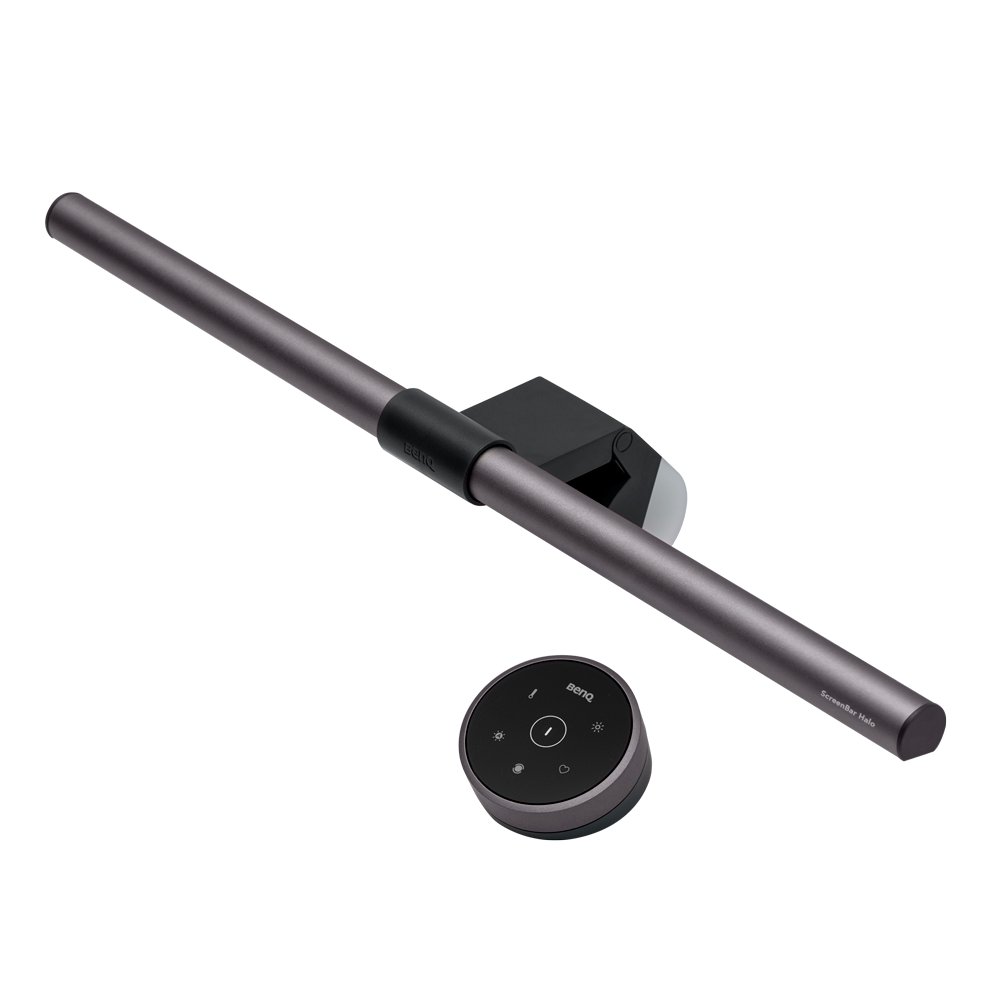
Crucially, the backlight is fully tunable — both brightness and color temperature, from a warm 2700K to a cool 6500K. Most competing light bars give you a fixed-brightness backlight with no color control. The Halo 2 lets you match the backlight to the rest of your room's mood, which sounds gimmicky until you actually live with it for a week.
04ASYM-Light Front Light: Precision in Clarity
The front light delivers a consistent 500 lx across an 85 × 50 cm area — roughly the entire usable area of a standard desk. To keep glare out of your eyes, BenQ engineered an 8-section reflector, 12 precision lenses, and an 18° cut-off angle. The result: every photon lands on your desk surface, none of it on your face.
The full-spectrum LED chip hits Rf > 96, which is genuinely close to natural sunlight. If you do colour-sensitive work — photo editing, design, video — this matters far more than marketing copy makes it sound. Whites read as whites, not as a slightly green or pink approximation.
05The Wireless Controller Is a Joy
The included wireless controller has a digital touch panel angled at 10 degrees toward you — a small detail, but it means you glance down naturally and the panel is right there at the correct viewing angle. Brightness and color temperature each get their own dial, and a switch button toggles between front and back light adjustments. It's rechargeable via USB-C and lasts up to three months on a single charge.
Power users with dual-monitor setups will appreciate that one controller can pair with two Halo 2 units for synchronized control — no reaching across your desk to fiddle with two separate lights.
06Smart Sensor & Real-Time Auto Dim
An ultrasonic sensor sits on top of the bar, detecting your presence within about 60 cm of the screen. Sit down, the light turns on. Walk away, it dims and eventually shuts off after 5 minutes of no motion. The detection cone is specifically designed to ignore stray movement, so it won't flick on every time the cat walks past.
Combined with one-tap auto dim — which sets the front light to the recommended 500 lx based on ambient conditions — you can effectively set it once and never touch it again.
07The New Universal Clamp
If you've used previous ScreenBar models, the clamp is one of the biggest physical improvements. It's been redesigned to fit monitors from 0.17 to 2.36 inches thick and curved monitors from 1000R to 1800R — covering essentially every modern display, including ultra-thin OLEDs and aggressive 1000R curves.
Rubber-padded contact points protect your monitor's finish — important if you've got a high-end display you don't want scratched. And the front edge is shaped specifically to avoid blocking built-in webcams. Small details, but they're the kind of thoughtful touches that signal the Halo 2 was designed by people who actually use this stuff.
08ScreenBar Halo 2 vs. Original Halo
| Feature | ScreenBar Halo 2 | Original ScreenBar Halo |
|---|---|---|
| Backlight Coverage | ✔ Tri-zone, 423% wider | Single-zone strip |
| Backlight Color Temp | ✔ 2700K–6500K tunable | Fixed |
| Front Light Coverage | 500 lx over 85 × 50 cm | 800 lx center (smaller area) |
| Controller | Wireless, digital touch, 3-month battery | Wireless puck controller |
| Smart Sensor | ✔ Ultrasonic motion + ambient | Ambient light only |
| Monitor Compatibility | 0.17–2.36" thick, curved 1000R–1800R | 0.3–2.4" flat / 0.6–1.5" curved |
| Power | ✔ USB-C, 5V / max 3A | USB, 5V / max 1.3A |
| LED Quality | Full-spectrum, Rf > 96 | Standard LED |
| Awards | iF, Red Dot, LIT 2025 | Previous-gen awards |
| Design Collaboration | MINIMAL Chicago | In-house BenQ |
09Watch the Full Video Review
Want more BenQ desk-and-display content? Check out our recent BenQ TK705STi 4K projector review for the other half of the perfect home setup — and subscribe to MrYouWho on YouTube so you don't miss the full ScreenBar Halo 2 video.
The Verdict
The ScreenBar Halo 2 is the most refined monitor light bar money can currently buy, and it's the one I'd recommend without hesitation to anyone who works late, codes in the dark, edits photos or video, or just wants their desk to feel like a calmer place to spend ten hours a day.
The 423% wider backlight, tunable color temperature on both lights, wireless touch controller, and proper universal clamp put it a clear generation ahead of anything else on the market. It's not the cheapest option — but if you're going to put one thing on your monitor, this is the thing.
What Wins
- Tri-zone backlight 423% wider than the original
- Fully tunable 2700K–6500K on both lights
- Glare-free 500 lx across a full desk
- Full-spectrum LED, Rf > 96 for color work
- Wireless touch controller, 3-month battery
- Universal clamp fits virtually any monitor
Worth Knowing
- Premium price — not the cheapest light bar
- External webcam may need the add-on mount
- Backlight benefit is biggest in dim/dark rooms
- USB-C power port required on your setup
Win This Exact Light Bar
Before you go, take 60 seconds to enter our BenQ ScreenBar Halo 2 giveaway. Free, open globally, no purchase needed — and you can browse all our active giveaways for more chances to win.
→ Enter the Giveaway10Frequently Asked Questions
Will the ScreenBar Halo 2 fit my monitor?+
Almost certainly. The new patented clamp fits monitors from 0.17" to 2.36" thick, including curved displays from 1000R to 1800R. That covers ultra-thin OLEDs, standard flat panels, and aggressive ultrawide curves, and the rubber-padded contacts protect the finish on any monitor.
What's actually different between the Halo and Halo 2?+
A lot. The Halo 2 has a 423% wider tri-zone backlight, full 2700K–6500K color temperature control on both front and back lights (the original only tuned the front), an ultrasonic motion sensor for true presence detection, USB-C power, a digital touch panel on the controller, and a newly engineered universal clamp. It's a generational upgrade, not a refresh.
Does it actually reduce eye strain?+
Yes — and the engineering has the receipts. The ANSI standard recommends keeping the screen-to-room contrast ratio below 1:3 to avoid eye strain, and the Halo 2 is specifically designed to maintain that ratio in dim rooms. The 18° cut-off angle, 8-section reflector, and 12 precision lenses all work to direct light onto your desk and away from your eyes, eliminating glare at the source.
Will it block my webcam?+
No. The front edge is specifically shaped to clear built-in webcam lenses, and BenQ also sells a dedicated webcam mount accessory that attaches above the bar if you use an external camera. So you can run video calls and meetings without the light bar getting in the shot.
How do I enter the giveaway?+
Click the giveaway page, complete the entry steps (follow, share, confirm email), and you're in. It's free, open globally, and the winner is announced via email — takes under 60 seconds. You can also browse all our active giveaways for more chances to win.


